
A live alternative to Shopify CSV export and import
A CSV export is a snapshot: accurate the second it is generated, and drifting further from Shopify with every minute that passes. Syncline replaces the export/import cycle with a Google Sheet that stays connected, so there is no file to regenerate and no import to run.
Why an export is stale on arrival
A CSV has no relationship to Shopify once it has downloaded. Every price change made in the admin, every order that moves stock, every edit from another app — all of it happens after the file was generated, and none of it is reflected in the rows you are looking at.
That is fine for a one-time archive. It is a problem the moment the plan is to edit the file and bring it back, because "bring it back" is exactly where the file's age becomes a liability.
The re-import failure modes
Three ways a CSV re-import commonly goes wrong, in roughly the order they get discovered:
- Mismatched identity — a handle, SKU or row order shifts between export and import, and the wrong row gets updated. This is usually silent: the import reports success.
- Partial application — some rows apply and others are skipped, on a validation rule that is not obvious from the file. Finding out which rows failed means diffing the file against the store afterward.
- Overwriting a newer change — someone edits a product in the admin after the file was exported. The re-import has no way to know that, and writes over it with no record that anything was lost.
What a synced sheet does instead
There is no export/import boundary to cross, so the failure modes above do not have a place to occur. An edit in the sheet is compared against the current Shopify value before it is written — not against whatever the value happened to be when a file was generated hours or days earlier.
Most edits reach Shopify within seconds, carried by a live push channel. A scheduled check runs every fifteen minutes as a fallback, with hourly and daily reconciliation passes behind that, so nothing depends on a notification arriving or a browser tab staying open.
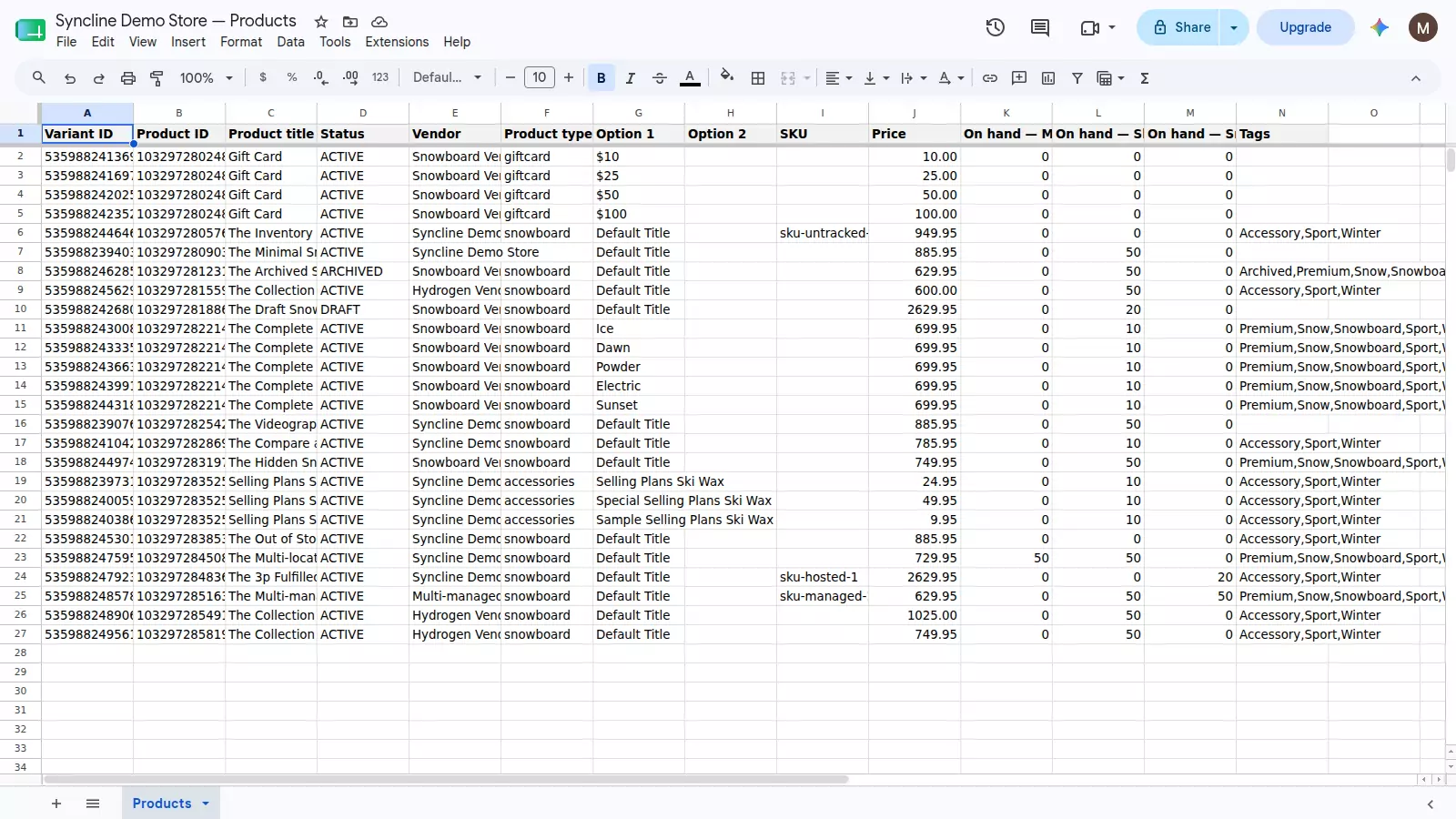
The same catalogue a CSV would hold — except this one is never out of date.
The direction back to the sheet exists too: an admin edit or an order moving stock updates the same cell, rather than only being visible in the next export you remember to run.
Avoiding the sync-loop problem
A two-way connection can, in principle, chase its own tail: Syncline writes a value to Shopify, Shopify's webhook reports it as changed, and that report gets written back to the sheet as if it were a new edit. Every write carries a hash for this reason — when the value that echoes back hashes identically to what was just written, it is recognised as an echo of our own change rather than a new one, and nothing loops.
Honest limits
Syncline syncs up to 500 variants, and it is free — there is no paid tier today. It syncs edits to a catalogue that already exists in Shopify; adding a new row to the sheet does not create a product. A product created in the Shopify admin does appear in the sheet automatically.
Frequently asked questions
Why does a Shopify CSV export go stale so fast?
The moment it finishes downloading, it stops being connected to anything. Any admin edit, any order that moves stock, any change from another app happens after the file was generated and is invisible in it.
What usually goes wrong re-importing a Shopify CSV?
The three common ones: a handle or ID that shifted between export and import, so the wrong row gets updated; a partial import that applies some rows and silently skips others; and a re-import that overwrites a change someone made in the admin after the file was exported, with no record that anything was lost.
How does a synced sheet avoid the re-import problem entirely?
There is no import step to run, so there is no file that can go stale between export and re-import. An edit in the sheet is compared against the live Shopify value before it is written, and the two stay connected continuously rather than meeting once per file.
Does editing the sheet risk creating a sync loop?
No — every write carries a hash, and a change that echoes back with the same hash is recognised as our own write rather than treated as a new edit. Only genuinely different values propagate.
What if I miss a change while offline?
A live push channel carries most edits within seconds, and a scheduled check every fifteen minutes catches anything missed, with hourly and daily reconciliation passes behind it. Nothing depends on the tab staying open.
Is this free, and what's the catalogue limit?
Syncline is free, with no paid tier today, and syncs up to 500 variants.
Getting started
Install Syncline from your Shopify admin and connect Google. It creates the spreadsheet and fills it with your catalogue — no file to export, no file to bring back. Setup takes a couple of minutes.